





- Choosing a selection results in a full page refresh.
Couldn't load pickup availability
Free Shipping
You may request a return within 30 days of delivery, subject to our return policy. For returns due to a change of mind or other customer-related reasons, return shipping costs are the customer's responsibility. If your item arrives damaged, defective, or incorrect, please contact our support team for assistance. All returns must be approved before the item is shipped back. Please contact our customer service team to start a return request.For complete terms and conditions, please review our Refund Policy.
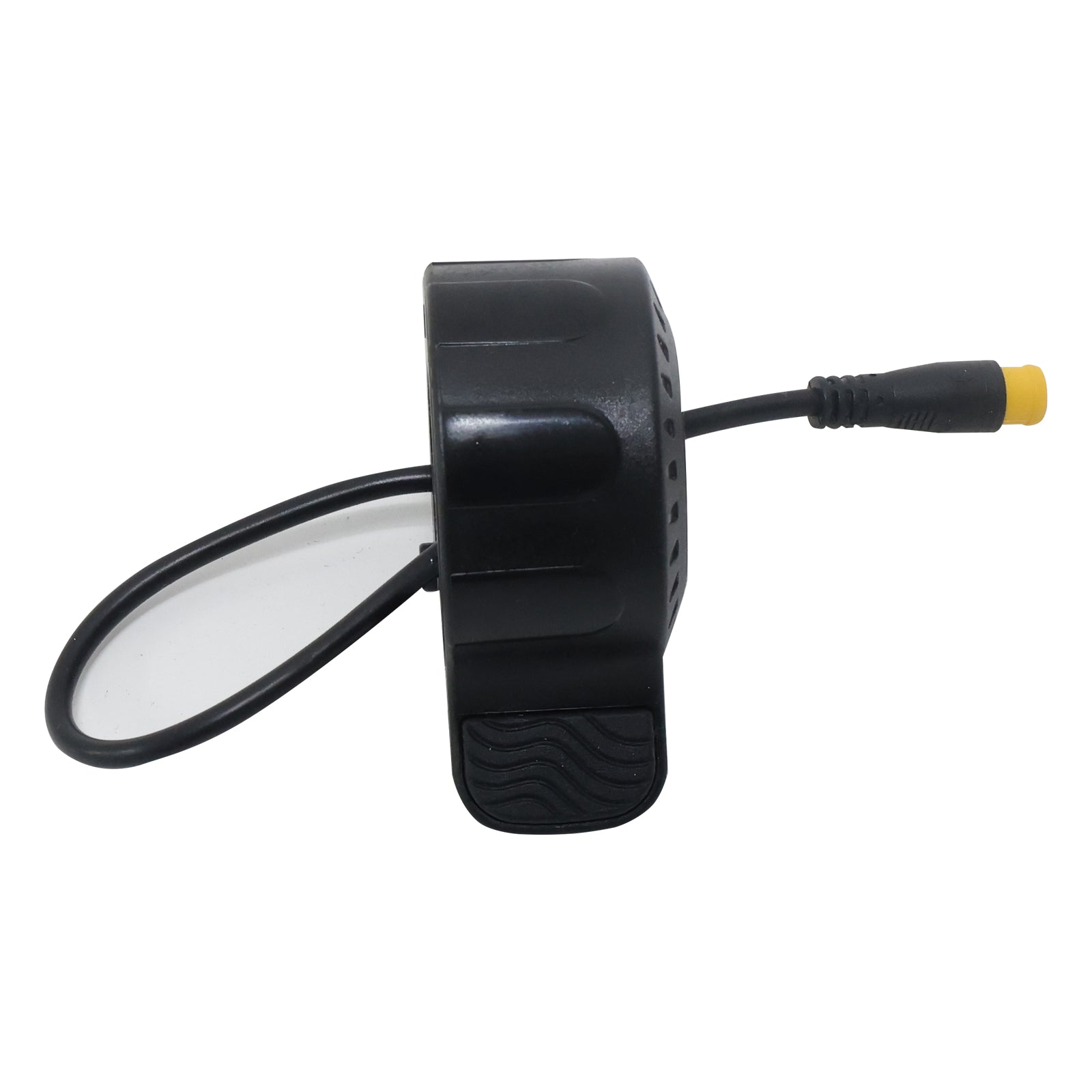
Replacement thumb throttle assembly for the Arwibon GT06PLUS electric scooter.
The throttle mounts on the handlebar and connects to the scooter wiring harness through its electrical plug. Thumb input is sent to the controller to regulate motor acceleration.
Please compare the connector type, connector color, pin configuration, cable length, mounting position, and throttle shape with your original part before ordering.
Different GT06PLUS production versions may use different throttle connectors. Do not select the part only by scooter model name.
Remove the spiral cable sleeve or electrical tape under the handlebar until the throttle connector is visible.
Take care not to damage the cable insulation.
Follow the throttle cable to the main wiring harness.
Hold both sides of the connector and pull them apart in a straight line.
If the plug has a locking tab, press it before disconnecting.
Do not pull directly on the wires.
Use an Allen key to loosen the throttle clamp screw.
Slide the old throttle off the handlebar.
If another handlebar component blocks removal, loosen and move it slightly first.
Before installation, compare the new throttle with the original one.
Check:
Do not continue if the electrical connection is different.
Slide the new throttle onto the handlebar.
Adjust the angle so your thumb can operate it naturally without touching the brake lever or other controls.
Tighten the clamp screw after the position is correct.
Route the throttle cable along the existing handlebar wiring.
Align the connector correctly and push it fully into the matching plug.
Secure loose wiring with cable ties if necessary.
Do not overtighten the ties.
Raise the drive wheel off the ground before testing.
Turn the scooter on and check that no new error code appears.
Press the throttle slowly. The motor should respond normally as the thumb lever is pressed.
Release the throttle and confirm that it returns freely to its original position.
Apply the brake while operating the throttle and confirm that motor power cuts correctly.
Do not ride the scooter if the throttle sticks, responds intermittently, or fails to return normally.
Turn the handlebar fully left and right.
Make sure the throttle cable does not become tight or pull on the connector.
Reinstall the spiral cable sleeve or electrical tape after the test is complete.
Works exactly as expected. Simple plug‑and‑play part. Double‑check the connector is fully seated before use. If your GT06PLUS has delayed acceleration or intermittent power loss, this throttle is the correct replacement.
Perfect replacement thumb throttle for my Arwibon GT06PLUS. It clamps firmly onto the handlebar, and the plug matches perfectly with no wiring changes needed. Thumb pressure feels smooth, acceleration is gradual and responsive. Fixed my old worn‑out throttle that would randomly cut power. Very easy install.
Exact OEM‑style spare part. My original throttle became unresponsive, swapping this unit solved the issue right away. No error signals on the display. Speed ramps up smoothly. Well‑built plastic housing feels durable.
Solid replacement throttle for GT06PLUS. Make sure you tighten the mounting screw well to prevent rotation while riding. The connector is waterproof, works fine on rainy days. Thumb action is comfortable even for long commutes.
Great quality throttle assembly. The rubber thumb pad has nice anti‑slip texture. After connecting the cable, the scooter responds instantly when I press down. No jerky speed jumps. Fits the original handlebar diameter exactly. Restored full control over my scooter.
Thanks for subscribing!
This email has been registered!

| Product | SKU | Description | Collection | Availability | Product Type | Other Details |
|---|